> ## Documentation Index
> Fetch the complete documentation index at: https://bunnynet-cb9733c2-docs-stream-charge-attribution.mintlify.site/llms.txt
> Use this file to discover all available pages before exploring further.

# Delete App

> Permanently remove a container and its configuration.

<Warning>
  Deleting an app is irreversible. Ensure you want to permanently remove the app
  before confirming.
</Warning>

<Steps>
  <Step title="Select your container">
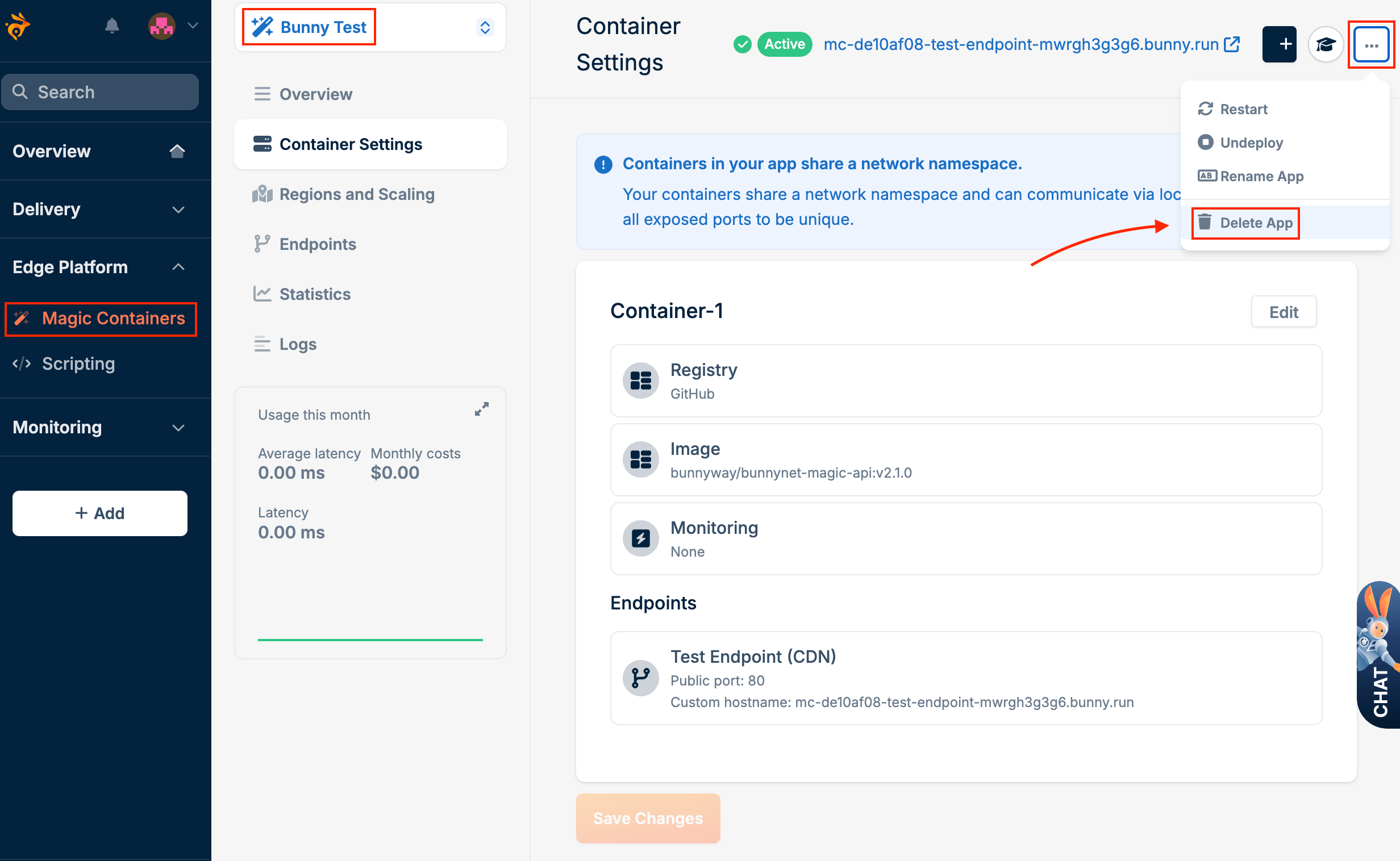
    Go to **Magic Containers** and select the container you want to delete.
  </Step>

  <Step title="Open the menu">
    Click the menu icon (three dots) on the right side of the screen and click **Delete App**.
    <Frame>
      <img src="https://mintcdn.com/bunnynet-cb9733c2-docs-stream-charge-attribution/uGdrFwZ9CSjv6gdF/images/docs/5d464940ef3caaee7f12b78d212efe576adac987f2c3e3467046bca9702a9f53-image.png?fit=max&auto=format&n=uGdrFwZ9CSjv6gdF&q=85&s=efe6fb41d328a462aea18757f1d7dcc6" alt="" width="2464" height="1516" data-path="images/docs/5d464940ef3caaee7f12b78d212efe576adac987f2c3e3467046bca9702a9f53-image.png" />
    </Frame>
  </Step>

  <Step title="Confirm deletion">
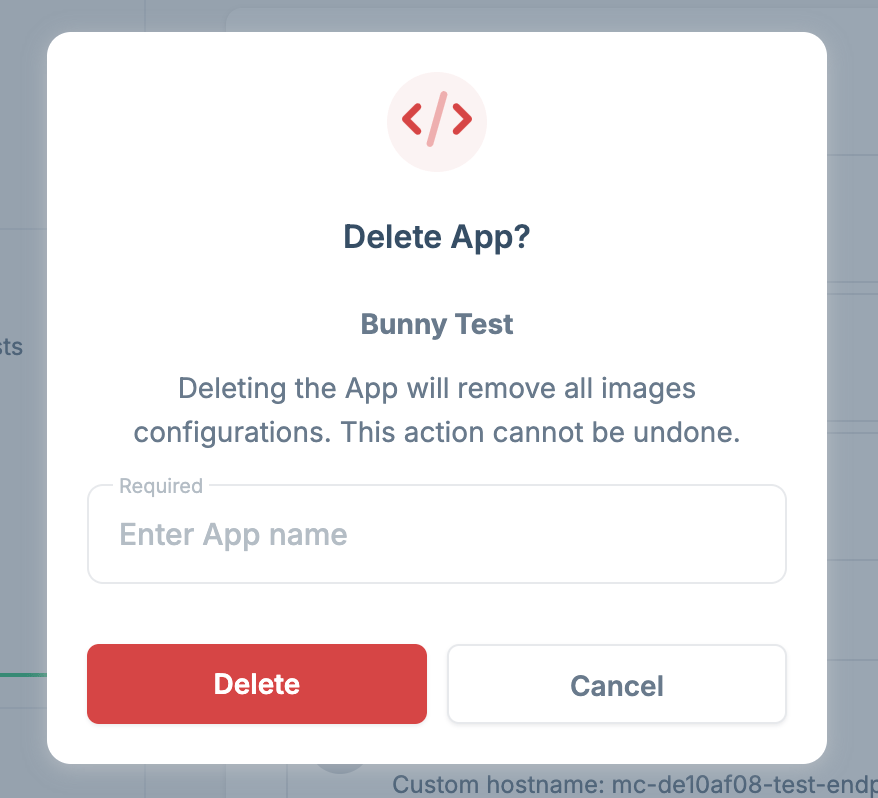
    Enter the name of the app to confirm, then click **Confirm**.
    <Frame>
      <img src="https://mintcdn.com/bunnynet-cb9733c2-docs-stream-charge-attribution/OPzgm1-s7Om2ISfh/images/docs/c8bd0c3705c48175cc39c11ca710a445c2ef32ec4722364de0657327b2b2c886-image.png?fit=max&auto=format&n=OPzgm1-s7Om2ISfh&q=85&s=4c12c1e6e45c2bd9e7ffdfed70a3cdb4" alt="" width="878" height="798" data-path="images/docs/c8bd0c3705c48175cc39c11ca710a445c2ef32ec4722364de0657327b2b2c886-image.png" />
    </Frame>
  </Step>
</Steps>
